> ## Documentation Index
> Fetch the complete documentation index at: https://wb-21fd5541-css-tab-borders.mintlify.site/llms.txt
> Use this file to discover all available pages before exploring further.
# NVIDIA NeMo Inference Microservice Deploy Job
> Deploy a W&B model artifact to NVIDIA NeMo Inference Microservice using W&B Launch for scalable model serving.
This guide shows you how to deploy a model artifact from W\&B to an NVIDIA NeMo Inference Microservice (NIM) so you can serve the model for scalable inference. To do this, use W\&B Launch. W\&B Launch converts model artifacts to NVIDIA NeMo Model format and deploys them to a running NIM/Triton server. This lets you take a tracked W\&B model directly to a production-ready endpoint without manual conversion.
W\&B Launch accepts the following compatible model types:
* [Llama2](https://llama.meta.com/llama2/)
* [StarCoder](https://github.com/bigcode-project/starcoder)
Deployment time varies by model and machine type. The base `Llama2-7b` config takes about 1 minute on Google Cloud's `a2-ultragpu-1g`.
## Quickstart
Follow these steps to create a launch queue, register the deployment job, run an agent, and submit the deployment.
1. [Create a launch queue](/platform/launch/add-job-to-queue/) if you don't have one already. The queue defines how the job runs on your GPU machine. See the following example queue configuration.
```yaml theme={null}
net: host
gpus: all # can be a specific set of GPUs or `all` to use everything
runtime: nvidia # also requires nvidia container runtime
volume:
- model-store:/model-store/
```
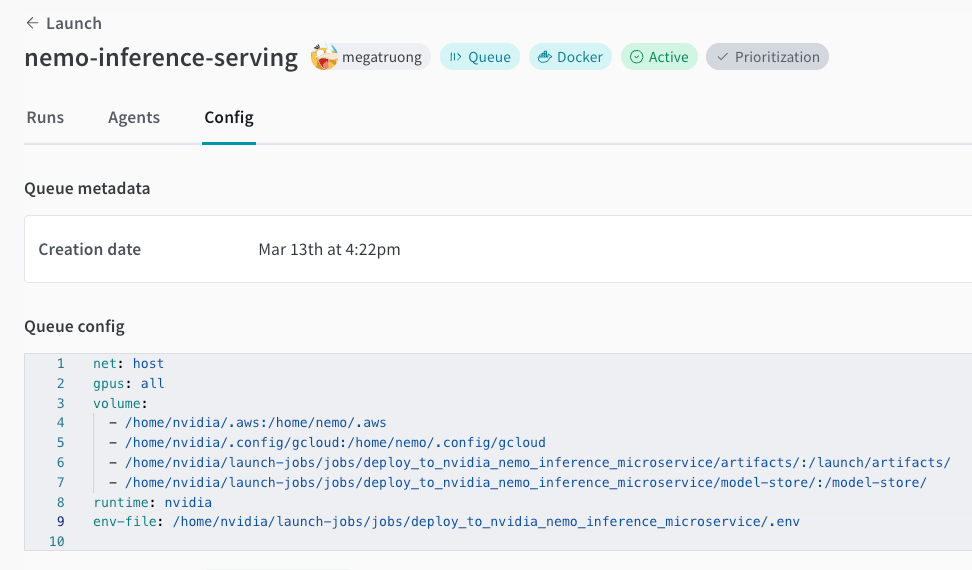 2. Create this job in your project. This registers the deployment job code with your W\&B project so Launch can run it.
```bash theme={null}
wandb job create -n "deploy-to-nvidia-nemo-inference-microservice" \
-e $ENTITY \
-p $PROJECT \
-E jobs/deploy_to_nvidia_nemo_inference_microservice/job.py \
-g andrew/nim-updates \
git https://github.com/wandb/launch-jobs
```
3. Launch an agent on your GPU machine. The agent polls the queue and executes the deployment job when you submit it.
```bash theme={null}
wandb launch-agent -e $ENTITY -p $PROJECT -q $QUEUE
```
4. Submit the deployment launch job with your desired configurations from the [Launch UI](https://wandb.ai/launch). You can also submit through the CLI.
```bash theme={null}
wandb launch -d gcr.io/playground-111/deploy-to-nemo:latest \
-e $ENTITY \
-p $PROJECT \
-q $QUEUE \
-c $CONFIG_JSON_FNAME
```
2. Create this job in your project. This registers the deployment job code with your W\&B project so Launch can run it.
```bash theme={null}
wandb job create -n "deploy-to-nvidia-nemo-inference-microservice" \
-e $ENTITY \
-p $PROJECT \
-E jobs/deploy_to_nvidia_nemo_inference_microservice/job.py \
-g andrew/nim-updates \
git https://github.com/wandb/launch-jobs
```
3. Launch an agent on your GPU machine. The agent polls the queue and executes the deployment job when you submit it.
```bash theme={null}
wandb launch-agent -e $ENTITY -p $PROJECT -q $QUEUE
```
4. Submit the deployment launch job with your desired configurations from the [Launch UI](https://wandb.ai/launch). You can also submit through the CLI.
```bash theme={null}
wandb launch -d gcr.io/playground-111/deploy-to-nemo:latest \
-e $ENTITY \
-p $PROJECT \
-q $QUEUE \
-c $CONFIG_JSON_FNAME
```
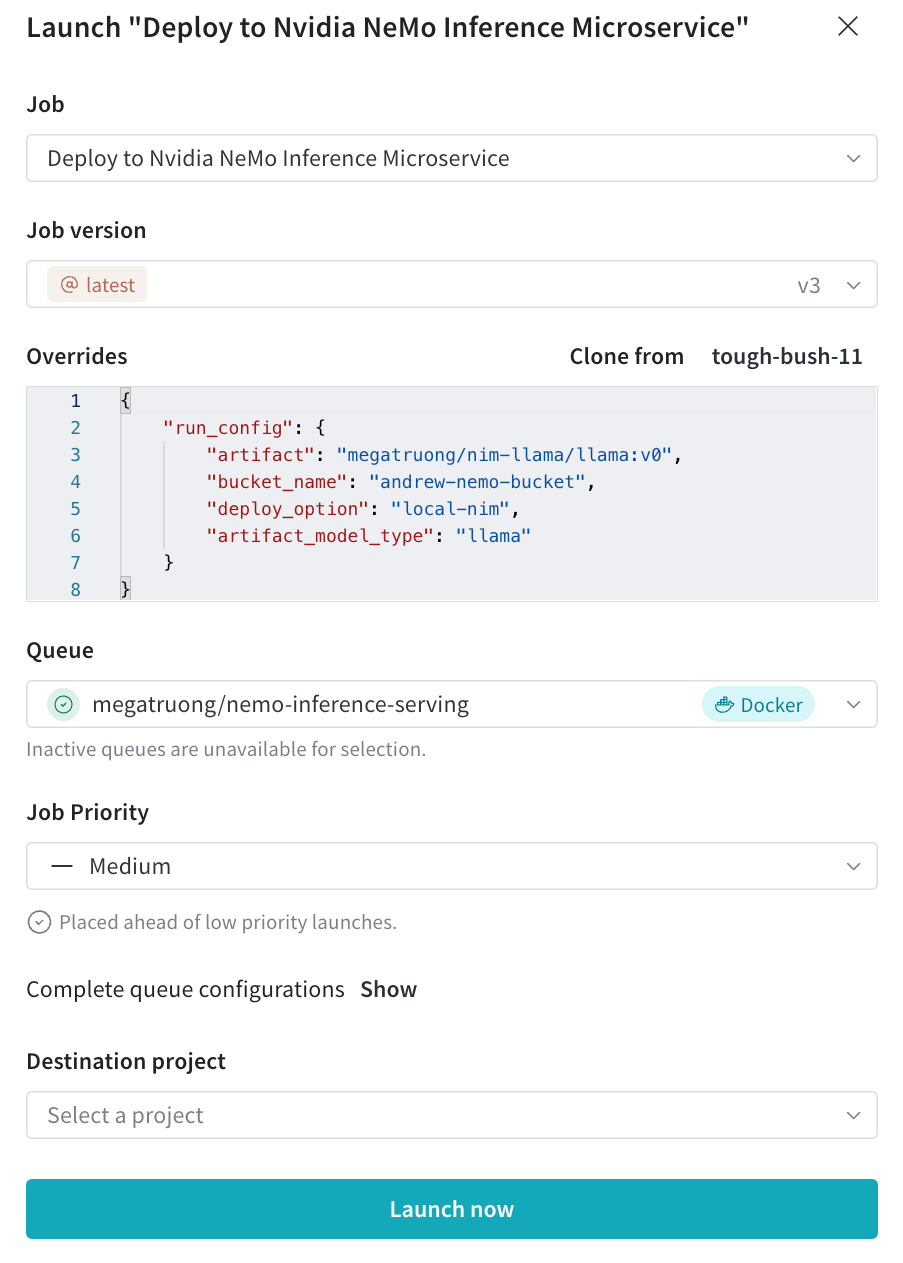 5. You can track the deployment process in the Launch UI.
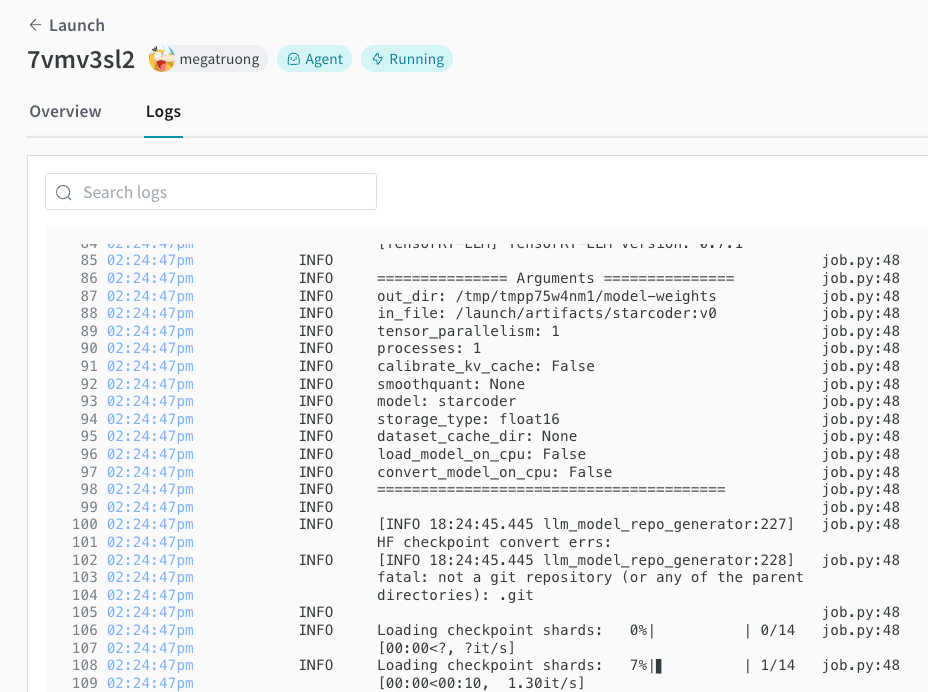 6. After the deployment completes, the NIM/Triton endpoint serves the model and is ready for inference requests. To test the model, `curl` the endpoint. The model name is always `ensemble`.
```bash theme={null}
#!/bin/bash
curl -X POST "http://0.0.0.0:9999/v1/completions" \
-H "accept: application/json" \
-H "Content-Type: application/json" \
-d '{
"model": "ensemble",
"prompt": "Tell me a joke",
"max_tokens": 256,
"temperature": 0.5,
"n": 1,
"stream": false,
"stop": "string",
"frequency_penalty": 0.0
}'
```
6. After the deployment completes, the NIM/Triton endpoint serves the model and is ready for inference requests. To test the model, `curl` the endpoint. The model name is always `ensemble`.
```bash theme={null}
#!/bin/bash
curl -X POST "http://0.0.0.0:9999/v1/completions" \
-H "accept: application/json" \
-H "Content-Type: application/json" \
-d '{
"model": "ensemble",
"prompt": "Tell me a joke",
"max_tokens": 256,
"temperature": 0.5,
"n": 1,
"stream": false,
"stop": "string",
"frequency_penalty": 0.0
}'
```